New
AI assistant and agent connections

Work, time, money and everyday life. In one app.

Projects with time tracking, Tasks, Calendar, Finance and Habits: five modules that work together, so what you plan, track and earn lives in one place.

Invite only

Beta coming soon

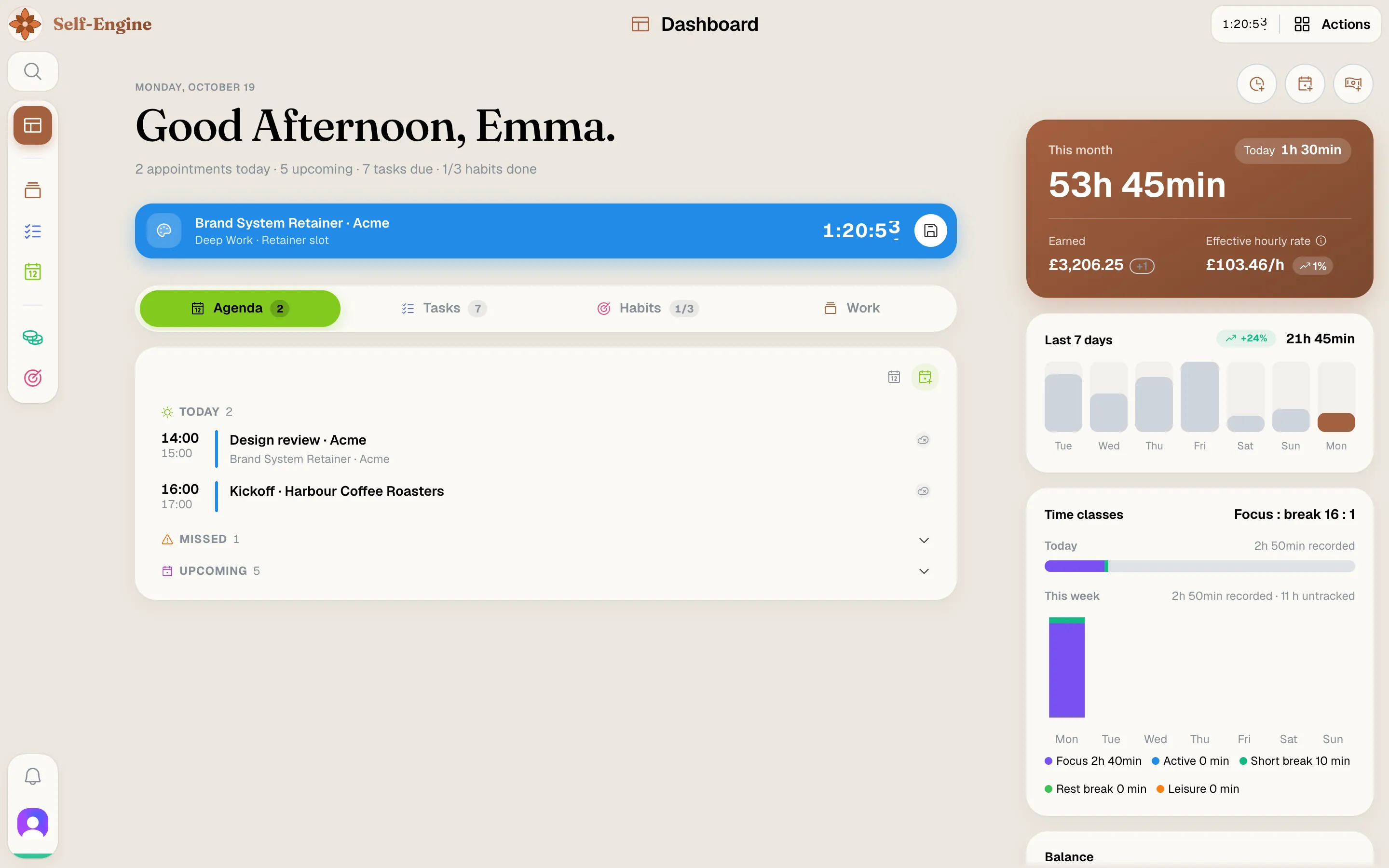
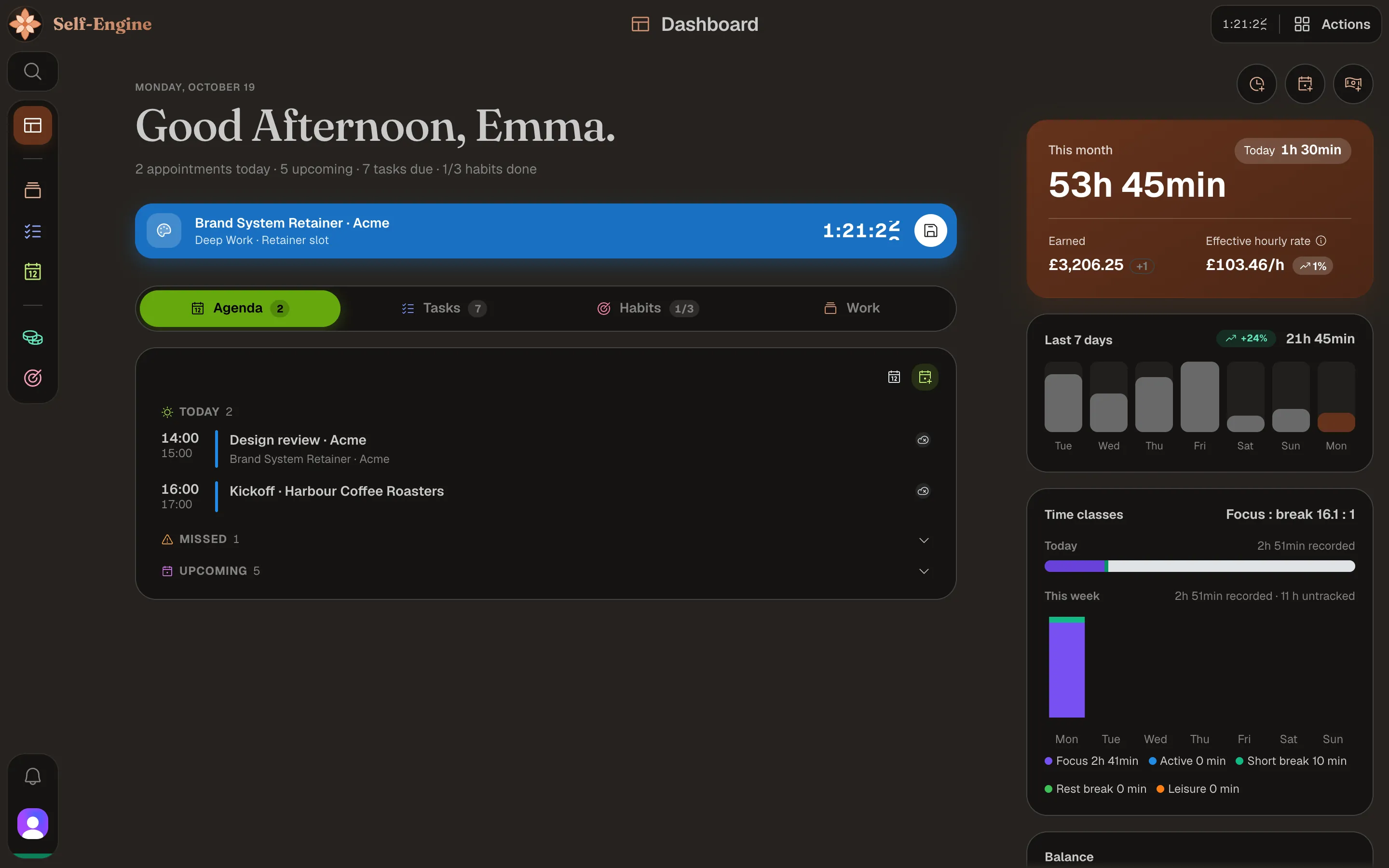
The Self-Engine dashboard with today's appointments, a running timer and the tasks due todayThe Self-Engine dashboard with today's appointments, a running timer and the tasks due today
  • Projects
  • Tasks
  • Calendar
  • Finance
  • Habits

Modules

Everything your week needs, in five modules

Each module has its own color, just like in the app, and all of them share the same data.

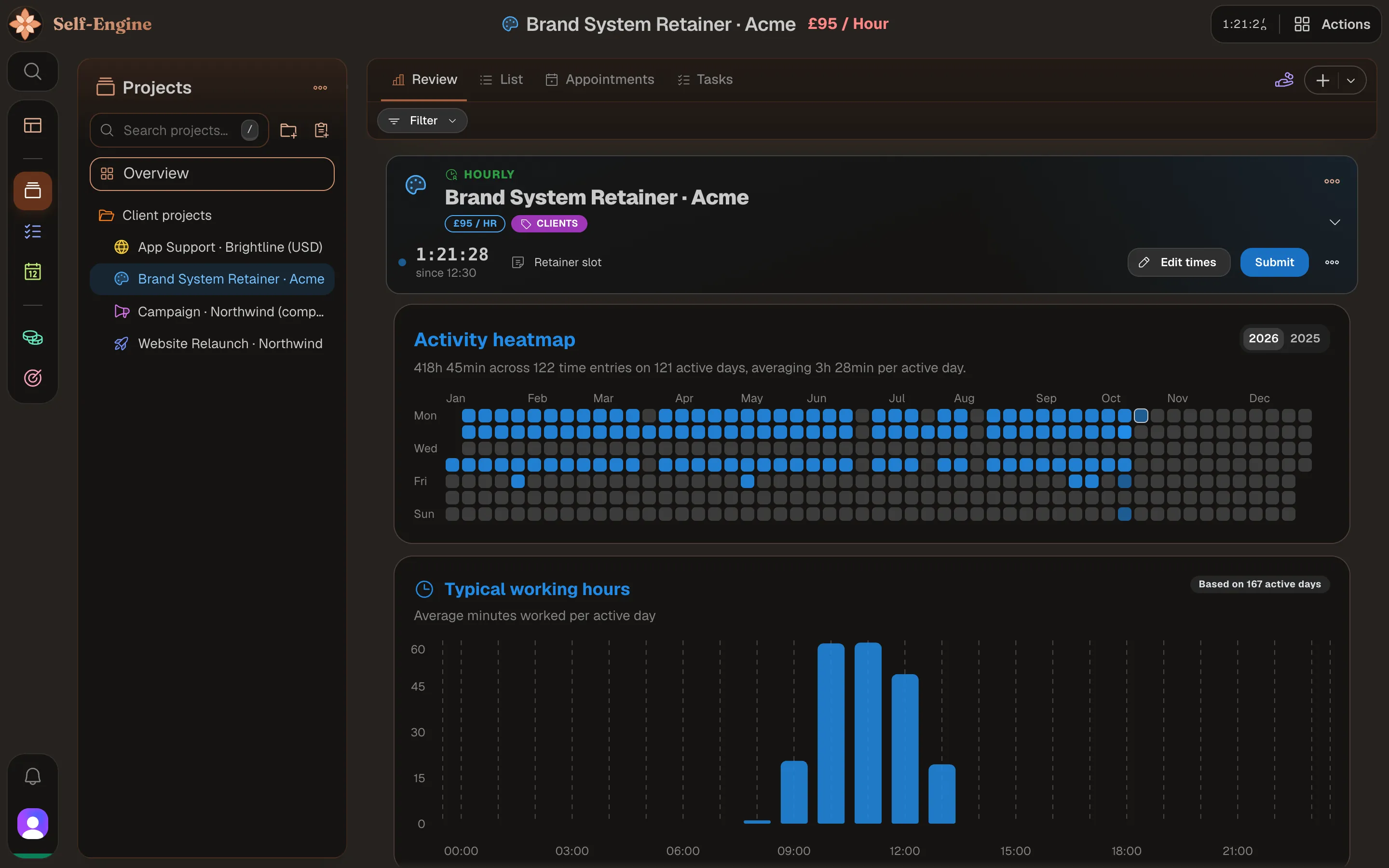
Projects & time tracking

Every project has its own timer. Start it, take a break, submit it, and your time is recorded.

  • Timers of several projects can run at the same time
  • Pomodoro switches between focus and breaks for you
  • Hourly rates and rounding turn tracked time into earnings
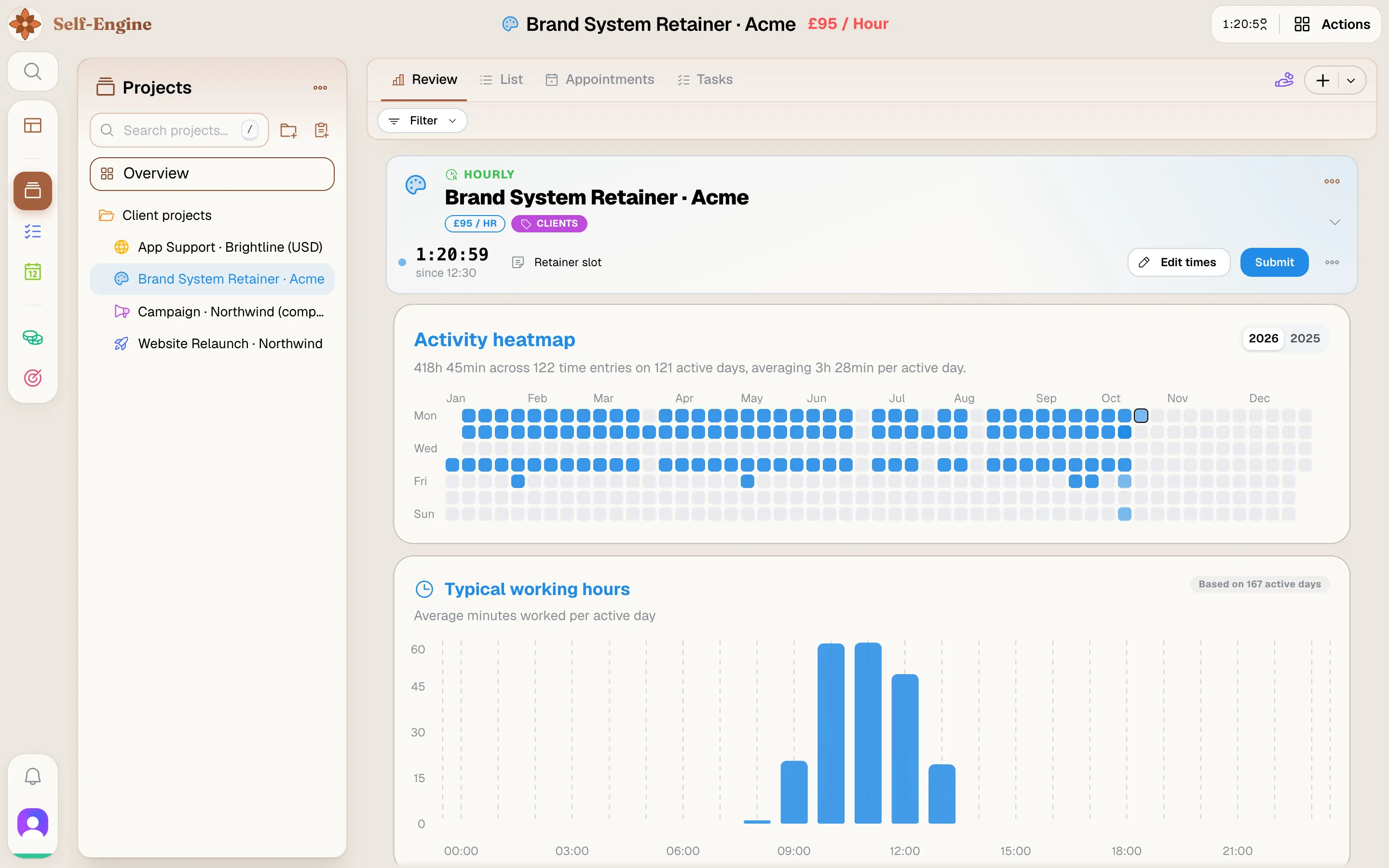
The Projects & time tracking module in Self-EngineThe Projects & time tracking module in Self-Engine

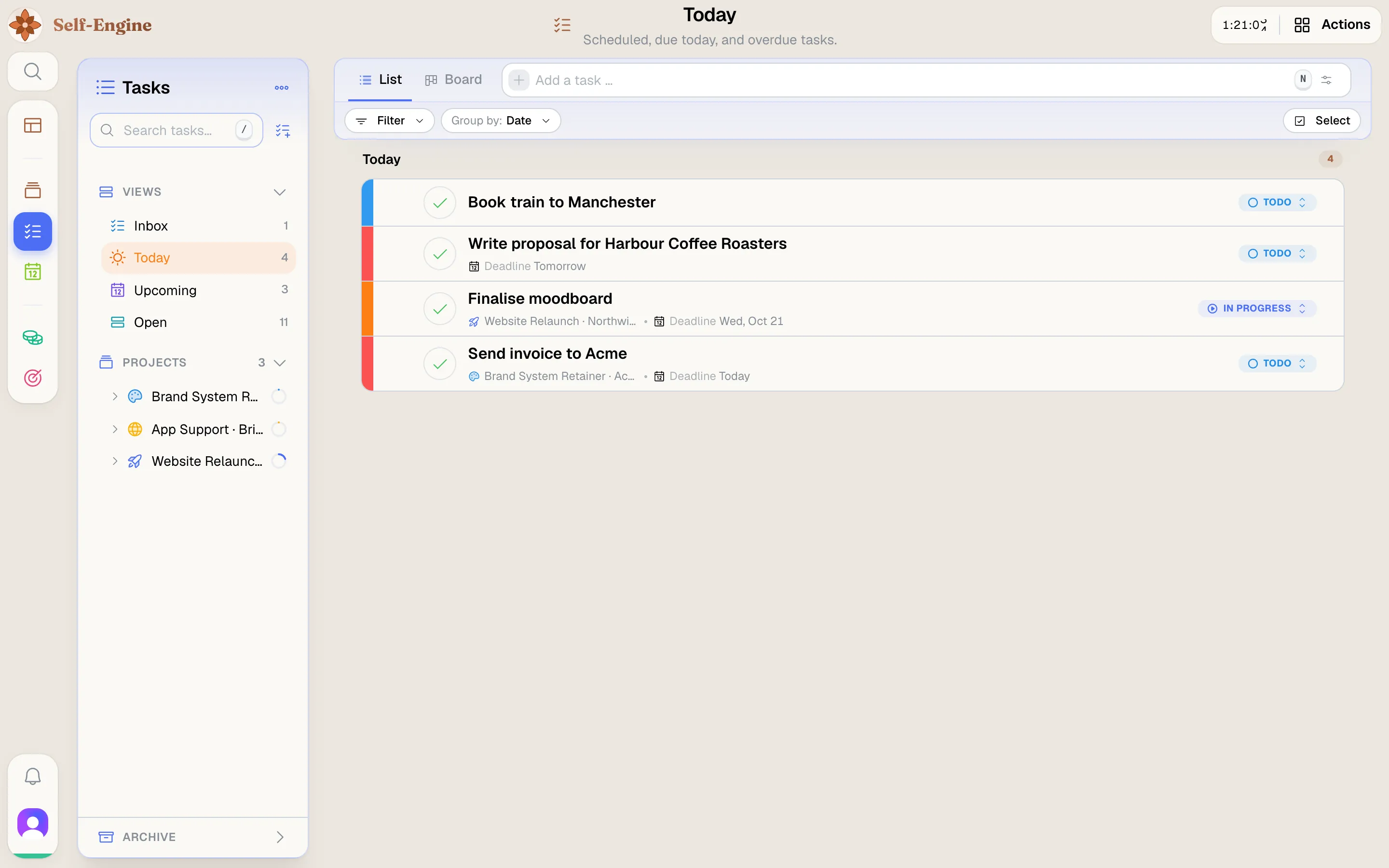
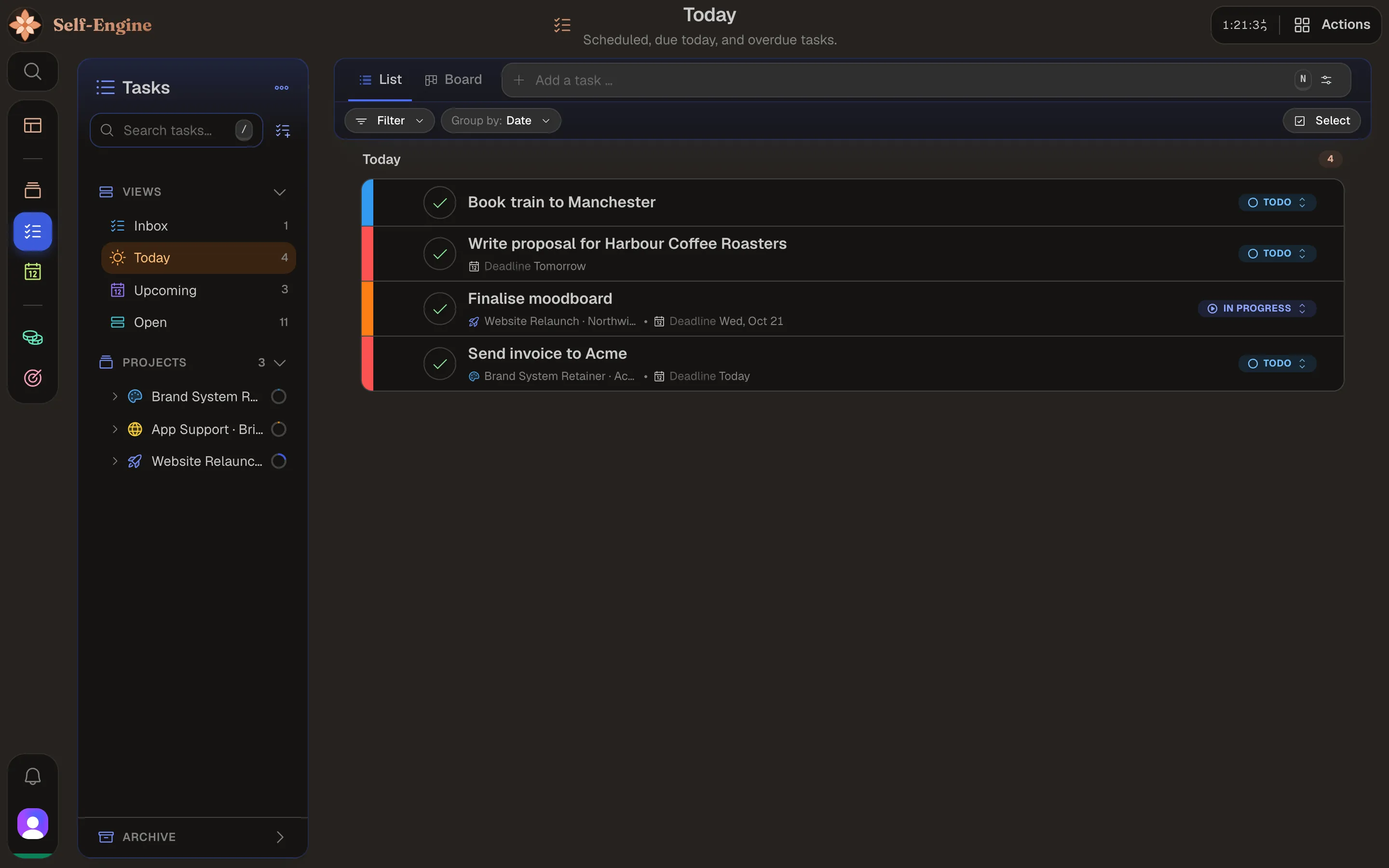
Tasks

Plan your work as a board or a list, and decide each morning what today is for.

  • Subtasks, priorities and due dates
  • A Today view with everything that is due
  • Tasks belong to their project
The Tasks module in Self-EngineThe Tasks module in Self-Engine

Calendar

Appointments and tracked time side by side, in week and month views.

  • Time entries appear right next to your appointments
  • Appointments linked to a project
  • Blocked focus time nothing gets scheduled over
The Calendar module in Self-EngineThe Calendar module in Self-Engine

Finance

Income, expenses and bank accounts in one place, including everything that recurs each month.

  • Recurring payments always in view
  • Categories and monthly analyses
  • Payouts straight from your tracked work
The Finance module in Self-EngineThe Finance module in Self-Engine

Habits

Keep track of the routines you want to keep, and see at a glance how your weeks went.

  • Check off today's habits in one click
  • Progress per week and month
The Habits module in Self-EngineThe Habits module in Self-Engine

How the modules connect

  1. 1 · Calendar

    Appointment

    Your client call starts, and one click starts the project's timer.

  2. 2 · Projects

    Timer

    It runs on the project until you submit it.

  3. 3 · Projects

    Time entry

    Submitting records a time entry, linked to the appointment.

  4. 4 · Finance

    Payout

    When the client pays, a payout marks the entries paid and books the money in Finance.

AI

Say it in a sentence, and it happens in your app

Log time, plan appointments or check your spending just by asking: with the AI assistant built into the app, or with an AI tool you already use.

AI assistantReady
A replay with sample data. In the app, the assistant works with your own entries.

The AI assistant

Built into the app and included in your plan. It finds, creates and changes your entries across all five modules, and shows each step it takes.

Bring your own agent

Agent connections

Connect Claude.ai, Claude Code or Cursor through an agent connection, and the AI you already work with can read and change your data, with exactly your permissions and never more. It runs on your own model, outside Self-Engine.

What AI may do with your data, and what not

  • Off until you turn it on

    The AI assistant and agent connections each have their own opt-in in the settings. Without it, no AI touches your data.

  • Agents only make changes you can undo

    An agent connection creates and edits entries. When it deletes a task, the task moves to the trash, and you restore it in full.

  • Nothing deleted for good without you

    No agent can delete anything permanently, and the AI assistant asks you to confirm before every permanent deletion.

  • Every assistant call logged

    Each tool the AI assistant or an agent connection runs on your data is recorded as an assistant call: which tool, whether it read or wrote, when, and how it ended. You see it in the settings.

  • A monthly cost cap

    The AI assistant's usage is included up to $1 per month. When the cap is reached it pauses, and you never pay extra.

Your data

Your data: on your device, synced, exportable

Works offline

Self-Engine keeps your data in a local database on each device. After your first sign-in it opens and saves without a connection.

Synced across devices

Whatever you change offline syncs automatically once you're back online: in the browser, on your Mac and on your phone.

Export everything

Download all your data as a single JSON file from your account, whenever you like.

Stored in the EU

The server copy of your data is kept by Supabase in the EU region, under the GDPR.

Read the privacy policy

Everywhere

In the browser, on your Mac and on your phone

Web

Runs in any current browser, with nothing to install.

macOS app

A native app with timers in the menu bar and system notifications.

Mobile

The web app works on your phone; native apps for iPhone and Android are in the works.

Download the Mac app

Pricing

One Plan. Everything Included.

One plan with every module, billed monthly. Paid sign-ups open with the beta – the first 100 paying customers get a founding price.

Founding price until January 31, 2027

Self-Engine Pro

$9

per month

Founding price: $5 per month for the first 100 paying customers, bookable until January 31, 2027. Your price stays as long as your subscription runs without interruption.

Beta coming soon

Sign up
Invite only
  • All five modules: projects & time tracking, tasks, calendar, finance and habits
  • Optional AI assistant included – with a $1 usage quota per month
  • Web and macOS app, on all your devices
  • All future features and updates included
  • Cancel anytime, effective at the end of the term

Billing is in US dollars. There is no free trial. All prices are final prices; in accordance with Section 19 of the German VAT Act (UStG), no VAT is charged.

Ready to start your engine?

The beta is coming soon — five modules in one app.

Sign up
Invite only